
Last Updated: January 15, 2026
Introduction
In 2025, Google Chrome remains the most popular browser worldwide. But let’s be real—your browsing experience can quickly turn messy with dozens of tabs, constant distractions, and security concerns. The good news? With the right Chrome extensions, you can work smarter, stay organized, and browse safely.
In this guide, I’ve handpicked the 15 best Chrome extensions in 2025 that are actively maintained, highly rated, and perfect for productivity, focus, and security. Each one includes a direct Chrome Web Store link, so you can install it right away.
The Future of Online Privacy: What You Need to Know in 2025
Best Chrome Extensions in 2025
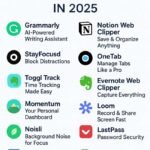
1. Grammarly – AI-Powered Writing Assistant ✍️
Grammarly is still the king of writing helpers in 2025. Whether you’re writing emails, blog posts, or social media updates, it corrects grammar, improves clarity, and even suggests tone adjustments.
👉 Best For: Writers, students, and professionals.
👉 Install Now: Grammarly Chrome Extension
2. Notion Web Clipper – Save & Organize Anything 📑
Turn any webpage, article, or PDF into a clean, saved version inside your Notion workspace. Perfect for research, bookmarking, and project management.
👉 Best For: Knowledge management & productivity.
👉 Install Now: Notion Web Clipper
3. StayFocusd – Block Distractions ⛔
If you waste too much time on YouTube, Twitter, or Netflix, StayFocusd will save you. It blocks distracting websites after your daily limit expires.
👉 Best For: Students & remote workers.
👉 Install Now: StayFocusd
4. OneTab – Manage Tabs Like a Pro 📑
Open too many tabs? OneTab saves them all into a list, freeing memory and decluttering your browser. You can restore them anytime.
👉 Best For: Heavy multitaskers.
👉 Install Now: OneTab
5. Toggl Track – Time Tracking Made Easy ⏱️
Track your work hours with a single click. Toggl gives you detailed productivity insights, making it ideal for freelancers.
👉 Best For: Freelancers & remote teams.
👉 Install Now: Toggl Track
6. Evernote Web Clipper – Capture Everything 📝
Save articles, screenshots, and web clippings directly into Evernote. Stay organized across devices.
👉 Best For: Researchers & students.
👉 Install Now: Evernote Web Clipper
7. Momentum – Your Personal Dashboard 🌅
Replace the boring new tab with a beautiful dashboard showing quotes, weather, and your to-do list.
👉 Best For: Focus & mindfulness.
👉 Install Now: Momentum
8. Loom – Record & Share Screen Fast 🎥
Loom lets you instantly record your screen, voice, or face cam to create tutorials and explanations.
👉 Best For: Remote teams & educators.
👉 Install Now: Loom
9. LastPass – Password Security 🔐
Generate, save, and auto-fill passwords across all websites. Your data is encrypted and synced across devices.
👉 Best For: Online security.
👉 Install Now: LastPass
10. Noisli – Background Noise for Focus 🎧
Whether it’s rain, forest, or coffee shop sounds, Noisli helps you concentrate by customizing background noise.
👉 Best For: Writers, coders, students.
👉 Install Now: Noisli
11. Forest – Gamify Focus 🌳
Plant a virtual tree that grows as you stay focused. If you leave your task, your tree dies.
👉 Best For: Gamified productivity.
👉 Install Now: Forest
12. Pocket – Save Content for Later 📚
Save articles, videos, and web pages to read later—even offline. Pocket syncs across all devices.
👉 Best For: Readers & researchers.
👉 Install Now: Pocket
13. Bitwarden – Open Source Password Manager 🔑
A secure, open-source alternative to LastPass. Ideal if you want total control over your data.
👉 Best For: Privacy-focused users.
👉 Install Now: Bitwarden
14. Bardeen – Automate Repetitive Tasks 🤖
With Bardeen, you can automate tasks like saving Gmail attachments to Google Drive or transferring data to Notion—without coding.
👉 Best For: Automation lovers.
👉 Install Now: Bardeen
15. Liner AI Copilot – AI-Powered Summarizer 📖
Highlight, summarize, and extract insights from any webpage or PDF instantly. Perfect for students and researchers.
👉 Best For: Quick reading & research.
👉 Install Now: Liner AI Copilot
FAQs About Chrome Extensions 2025
Q1: Do Chrome extensions slow down browsing?
Only if you install too many. Keep it limited to essential tools.
Q2: Are these free?
Most have free versions; premium unlocks more features.
Q3: Are they safe?
Yes, these are verified, widely used, and regularly updated.
Q4: Can I use them on Edge or Brave?
Yes—most Chrome extensions work on Chromium-based browsers.
Q5: What’s the best all-in-one setup?
Use Grammarly + Notion Clipper + OneTab + LastPass for a balanced workflow.
Conclusion
The right Chrome extensions can completely transform your browsing experience in 2025. From writing assistants like Grammarly to security tools like LastPass and productivity boosters like Bardeen, these 15 extensions will help you work smarter, stay secure, and reduce digital overwhelm.
👉 Install a few today and see the difference.

