
Last Updated: January 15, 2026
🌍 Introduction: Why AI Apps Are a Game-Changer in 2025
In 2025, AI mobile apps have become essential companions for everyday life. From managing emails to planning trips, editing photos, or even learning new languages, AI is no longer a luxury—it’s a necessity.
The biggest advantage? Many of the most powerful AI apps are completely free or offer a free plan with enough features for daily use. Whether you’re an Android or iOS user, these apps can help you boost productivity, save money, and make life easier.
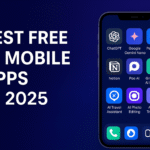
Let’s explore the best free AI mobile apps in 2025 you should install today.
📲 Top 10 Free AI Mobile Apps of 2025
1. ChatGPT Mobile App (OpenAI)
- Platform: Android, iOS
- Features:
- Chat, write, and brainstorm on the go
- Voice input powered by Whisper AI
- Image recognition & AI assistance
- Why Install? Best all-in-one AI app for writing, coding, and personal help.
- Download: Google Play | App Store
2. Google Gemini Nano
- Platform: Pixel & Android flagship devices
- Features:
- On-device AI assistant (privacy-safe)
- Smart replies in Gmail, WhatsApp
- Instant image-to-text conversion
- Why Install? Lightweight AI that works offline for fast and private help.
3. Perplexity AI App
- Platform: Android, iOS
- Features:
- Real-time AI-powered web search
- Voice Q&A assistant
- Sources included (no fake answers)
- Why Install? Best AI for fact-based answers and research.
4. Notion AI (Free Plan)
- Platform: Android, iOS
- Features:
- AI note-taking & summarization
- Generate to-do lists, study notes
- Brainstorm blog/article ideas
- Why Install? Perfect for students, writers, and project managers.
5. Poe AI (by Quora)
- Platform: Android, iOS
- Features:
- Access multiple AI models (GPT-4, Claude, Gemini) in one app
- Chat with specialized bots (coding, travel, study)
- Why Install? Great for testing different AI models in one place.
6. Grammarly AI Keyboard
- Platform: Android, iOS
- Features:
- Real-time grammar & spelling corrections
- AI tone adjustments
- Multilingual typing support
- Why Install? Must-have for email, essays, and professional writing.
7. AI Travel Assistant (Hopper AI / Trip Planner AI)
- Platform: Android, iOS
- Features:
- Predicts cheapest flights & hotels
- Personalized travel itineraries
- Alerts for price drops
- Why Install? Save money and time on your next holiday planning.
8. AI Photo Editing Apps (Lensa AI / Remini)
- Platform: Android, iOS
- Features:
- Restore old photos with AI
- Create profile pictures, avatars
- Professional-level filters for free
- Why Install? AI-powered Instagram-ready photography.
9. AI Voice Translator (iTranslate AI / SayHi AI)
- Platform: Android, iOS
- Features:
- Real-time translation in 100+ languages
- Works with voice, text, and images
- Why Install? Essential for travelers, students, and businesses.
10. AI Fitness & Health Apps (FitGPT / MyFitness AI)
- Platform: Android, iOS
- Features:
- Personalized workout & diet plans
- AI-generated progress reports
- Motivational reminders
- Why Install? AI personal trainer in your pocket.
⚖️ Pros & Cons of Free AI Apps
| Pros | Cons |
|---|---|
| Free or freemium access | Some features locked in paid plans |
| Boosts productivity & learning | Data privacy concerns |
| Available on Android & iOS | Can drain battery with heavy use |
| Easy to set up and use | May require internet connection |
💡 Tips for Choosing the Right AI App
- Check Privacy Policy → Some apps collect data for training AI.
- Look for Offline Mode → Tools like Gemini Nano work without internet.
- Consider Your Needs → Writers → ChatGPT/Grammarly, Travelers → Hopper AI, Students → Notion AI.
- Avoid App Overload → Stick to 3-5 apps you use daily.
❓ FAQs
Q1: Are these AI apps really free?
Yes. Most offer a free plan, with premium tiers for extra features.
Q2: Do AI apps work without internet?
Some like Gemini Nano work offline, but most require internet for updates.
Q3: Are AI apps safe to use?
Yes, if downloaded from official Play Store/App Store. Avoid third-party APKs.
Q4: Which is the best free AI app for students?
Notion AI and ChatGPT Mobile are best for study help & note-making.
Q5: Can AI apps replace human work?
They’re assistants, not replacements. They help speed up tasks, but creativity still matters.
How to Protect Yourself from AI Voice Scams in 2025
🚀 Conclusion
AI mobile apps in 2025 are making life smarter, easier, and faster. Whether you’re a student, traveler, business professional, or just someone who loves tech, these free apps can transform your daily routine into a productivity powerhouse.
👉 My recommendation: Start with ChatGPT Mobile, Notion AI, and a Travel Assistant app—then expand based on your needs.
